Batch Background Removal: How to Process Hundreds of Images
April 05, 2026
If you have ever found yourself staring at a folder containing 200 product photos, each one needing a clean, transparent background before you can list a single item, you already understand the frustration. Manual background removal is one of those tasks that sounds simple until you are three hours deep, your eyes are tired, and you still have 150 images left to go.
That is exactly the problem batch background removal was built to solve. And at BG Remover Free, we have made this process not just faster, but genuinely free, with no watermarks, no hidden credits, and no compromise on quality.
Why Manual Background Removal Is Wasting Your Time and Killing Your Profit
The true cost of manual editing rarely shows up on a single invoice. It hides in cumulative hours.
A skilled editor working in Photoshop can realistically process 8 to 12 images per hour when handling complex cutouts — hair, fine edges, irregular silhouettes. At that pace, processing 200 product images takes anywhere from 17 to 25 hours. If you are outsourcing that work, you are looking at $400 to $600 or more for a single catalog update.
But even if the labor cost feels manageable, the bottleneck is not. Products sitting unedited in a folder are products not generating revenue. Every delay in your image pipeline is a delay in your ability to sell.
Batch processing changes that equation entirely. The same 200 images that take a human editor a full working day can be processed by AI in under 10 minutes.
What Batch Background Removal Actually Does
Batch background removal uses artificial intelligence to analyze multiple images simultaneously, identify the primary subject in each one, and cleanly separate it from the background, all without any manual selection, masking, or lasso tool work on your part.
Modern AI models are trained on millions of images and have learned to recognize complex edge cases: flyaway hair strands, translucent fabric, reflective surfaces, intricate product details. The output is a high-quality transparent PNG for each image, ready to drop onto any background you choose.
At BG Remover Free, our batch processor handles up to 100 images in a single run. You upload your files, and within minutes every image returns as a clean, background-free PNG — packaged into a single ZIP file for instant download.
How to Batch Remove Backgrounds Using BG Remover Free
The process is straightforward by design. Here is exactly how it works:
Step 1: Go to the Batch Processing Page
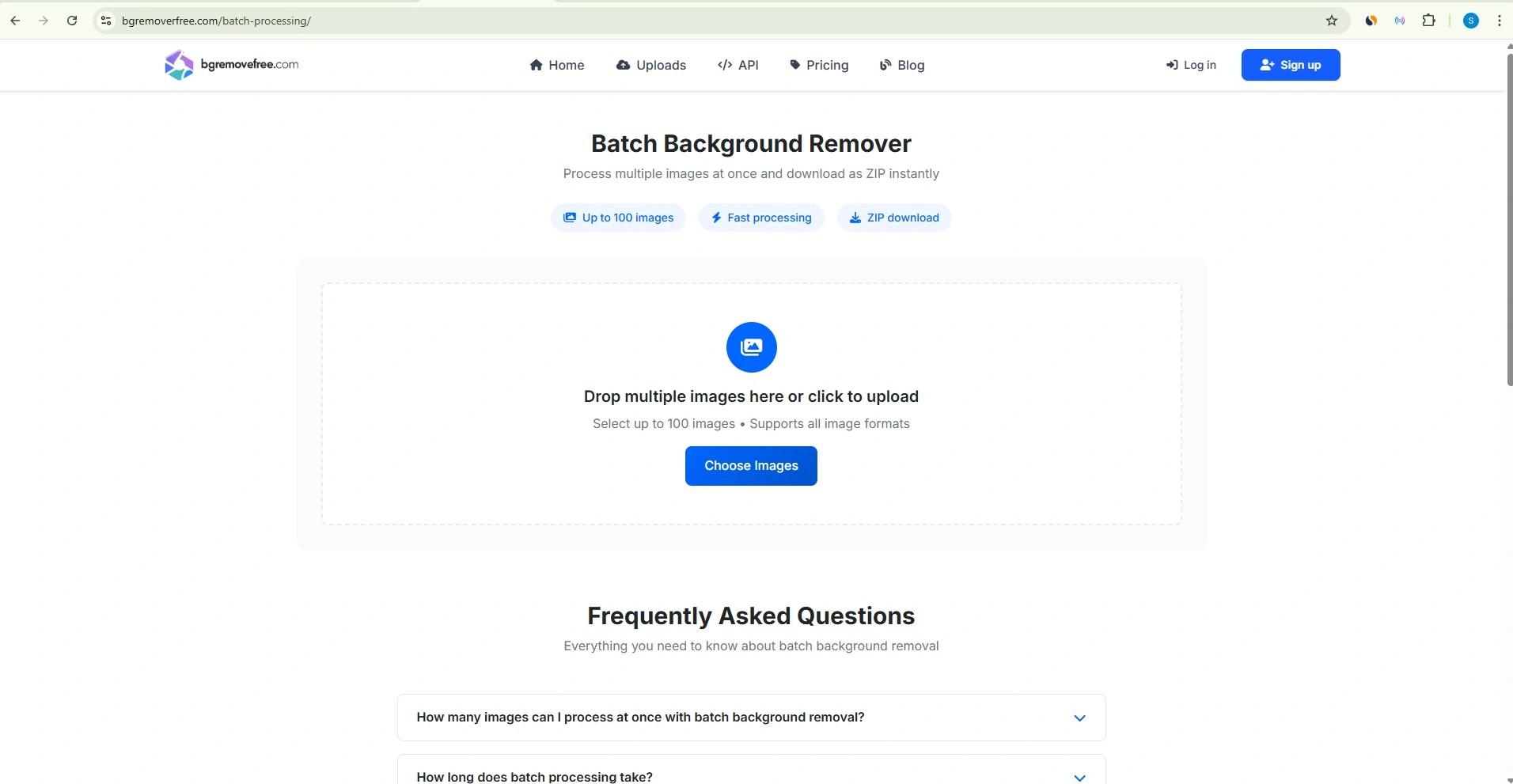
Navigate to bgremoverfree.com/batch-processing . No account is required to get started, though registered users receive priority processing.
Step 2: Upload Your Images
Drag and drop your images directly onto the upload area, or click to browse your files. BG Remover Free supports all common formats — JPG, PNG, WebP, and GIF, so you do not need to convert anything beforehand. You can upload up to 100 images per batch.
Step 3: Let the AI Process Your Images
Once uploaded, our AI engine begins processing immediately. Each image typically takes 3 to 8 seconds. A real-time progress bar keeps you informed throughout. A batch of 20 images is usually complete in under 2 minutes; 100 images typically finish within 5 to 10 minutes.
Step 4: Download Your ZIP File
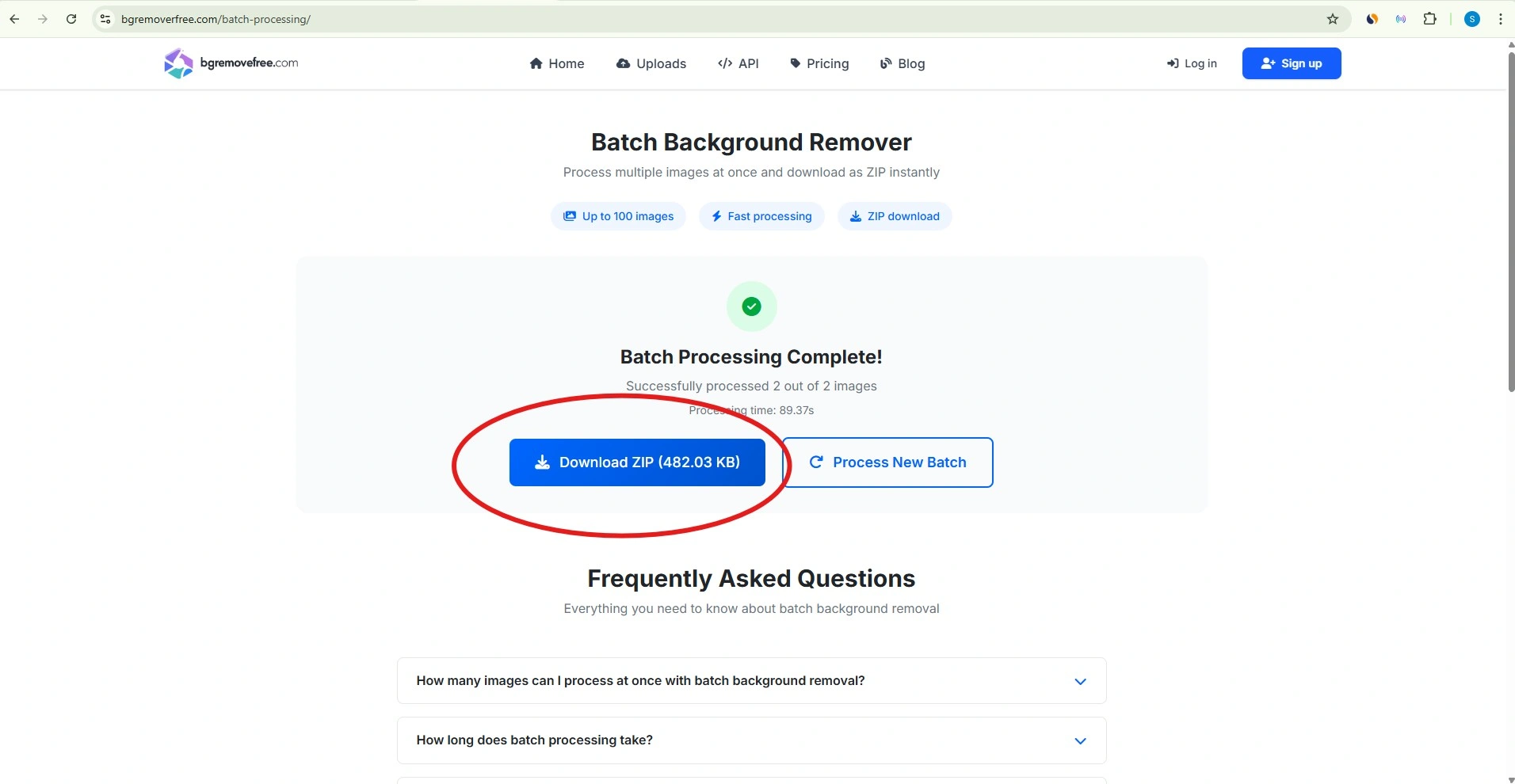
When processing is complete, all your background-removed images are automatically packaged into a timestamped ZIP file. Click "Download ZIP" and you have your entire batch — original filenames preserved, transparent backgrounds intact, ready to use.
Step 5: Review and Touch Up if Needed
For the vast majority of images, the AI output will be ready to publish immediately. For the small percentage of images with particularly complex backgrounds or unusual edge scenarios, a quick manual review lets you flag anything that needs individual attention.
Who Benefits Most from Batch Background Removal
The ability to process images in bulk is not limited to a single industry. These are the use cases where batch background removal delivers the most impact:
E-Commerce Sellers
Whether you are selling on Shopify, Amazon, Etsy, or eBay, consistent product photography is essential. Amazon requires a pure white background (RGB 255, 255, 255) for all main product images. Manually achieving that consistency across hundreds of SKUs is impractical. Batch processing handles your entire catalog in one run, ensuring every image meets platform requirements.
Photographers and Photo Studios
After a product shoot, a wedding, or a corporate event, photographers routinely need to process hundreds of images with uniform background treatment. Batch removal eliminates the most repetitive part of post-production, freeing time for the creative work that clients actually pay for.
Social Media Managers and Content Creators
Visual consistency across platforms builds brand recognition. Processing a month's worth of content images in a single batch ensures that every post, story, and ad has the same professional polish, without spending hours in editing software.
Graphic Designers
Designers handling campaigns across multiple clients need speed and precision. Batch background removal handles the mechanical parts of image preparation, so more hours go toward design thinking and less toward masking.
Car Dealerships and Automotive Marketers
Vehicle photography presents a specific challenge: reflective surfaces, complex wheel details, and varied shooting environments. Processing an entire vehicle inventory through BG Remover Free delivers consistently professional results across every listing.
Tips for Getting the Best Results from Batch Processing
AI performs best when it has clear visual signals to work with. A few adjustments to your photography workflow can significantly improve the consistency of your batch results.
Shoot on a contrasting background. Light gray or pale blue tends to give AI models stronger edge signals than pure white, particularly for light-colored products. Even though you are removing the background anyway, the contrast during capture improves detection accuracy.
Use consistent lighting across your session. Locked manual exposure and consistent white balance settings mean the AI encounters the same conditions in every image, producing uniform results throughout the batch.
Keep subjects clearly separated from the background. Maintain at least two to three inches of clear space between your subject and any props or surfaces that touch the frame edges.
Name your files systematically before uploading. Consistent filenames — such as product-SKU-001-front.jpg — make it straightforward to match outputs with their originals and organize your catalog after download.
Run a test batch first. Before processing your full inventory, upload 10 to 15 representative images, including your most complex shots — to verify the quality meets your standards.
A Note on Privacy and Data Security
When you are processing product images, client photography, or any commercially sensitive material, data privacy matters. At BG Remover Free, your images are processed securely and deleted from our servers immediately after your ZIP file is downloaded. We never store, share, or use your images for any purpose, including AI model training. Your files remain yours entirely.
Start Processing Your Images Today
Whether you have 10 product photos or a full catalog of 1,000, the logic is the same: every hour spent on repetitive background removal is an hour not spent on growing your business.
BG Remover Free gives you a professional-grade batch background removal tool that is genuinely free, requires no registration to start, and delivers transparent PNG outputs at your original image resolution — no quality loss, no watermarks, no limits on how many times you use it.
Go to batch processing and upload your first batch. The results speak for themselves.